Okta Assessment / Evidence

Evidence should be attached to the decision.

Atomation keeps the source objects, screenshots, affected scope, finding text, and report output connected so teams do not rebuild the story from raw exports.

Atomation finding detail — remediation steps, triage, NIST controls, and framework crosswalks
2finding views. customer summary and operator detail
2report formats. PDF and Markdown
CSVinventory export. on supported filtered inventory views
Evidence lifecycle

The trail is the product, not a screenshot gallery.

Source
Source layer

Okta objects, policy records, group paths, app assignments, logs, and supplied review evidence.

Details
Finding
Finding layer

Severity, affected scope, owner context, recommendation, screenshot, and traceable reference.

Details
Report
Report layer

Executive summary, operator detail, framework lens, evidence appendix, PDF or Markdown report, and supported inventory CSV path.

Details
Atomation findings queue — severity-ranked Okta findings with owners and evidence
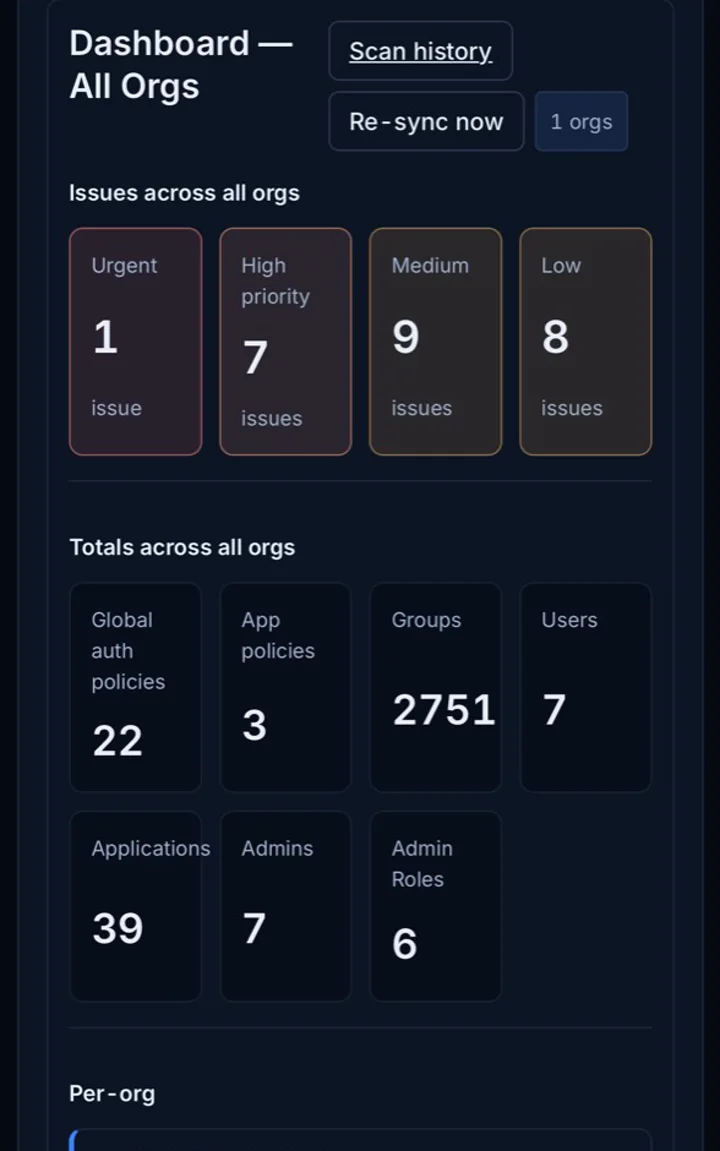
Anonymized Atomation Okta assessment dashboard preview
Dashboard views summarize assessment state without exposing customer identity data.
Dashboard proof

Use screenshots when they prove the product state.

Real screenshots are useful for showing dashboard shape and evidence context. The marketing story now uses HTML/CSS mockups for concepts and keeps screenshots as proof.

Atomation reports — auditor-ready assessment report views
Report output

Evidence feeds multiple audiences.

The same source trail can support leadership summaries, operator detail, framework mapping, PDF or Markdown report output, and supported inventory CSV views.

Export
Assessment reports

PDF and Markdown outputs for leadership, audit packets, operator review, and internal remediation planning.

Guide
Export
Inventory data

CSV export is available on supported filtered inventory views. The active portal does not expose DOCX, raw JSON, or raw snapshot downloads.

Guide
Selective screenshots

Keep screenshots where they add confidence.

Sanitized product screenshots support the evidence trail without overloading every section.

Evidence path

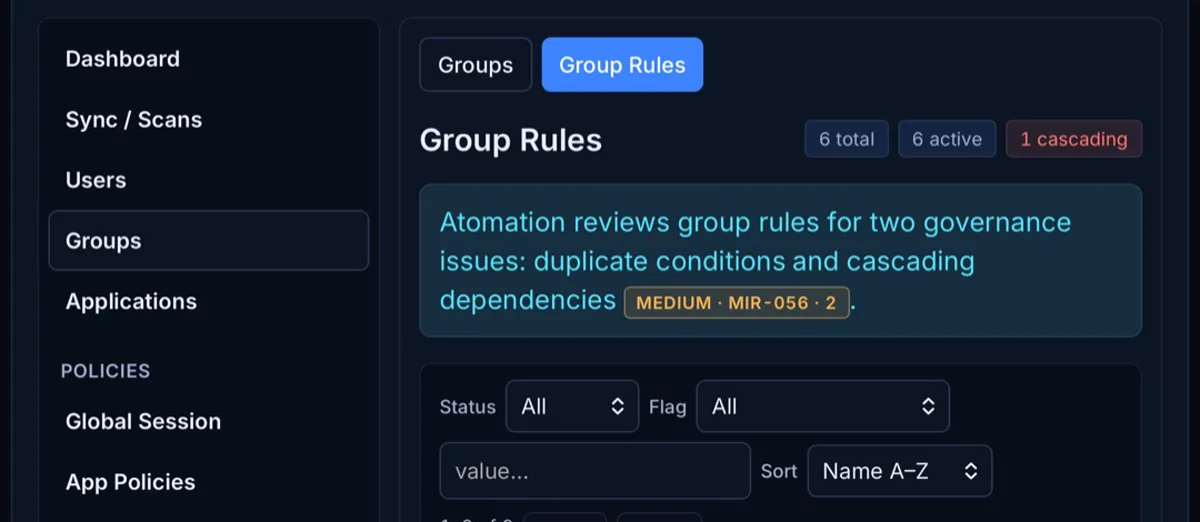
Group-rule dependencies

Visual evidence helps IAM teams review relationships that are easy to miss in exports.

  • Cascading rules
  • Duplicate conditions
  • Assignment paths that need owner review
Atomation group rules screen showing cascading dependency evidence
Cascading group-rule dependencies can become finding evidence.
Renewal context

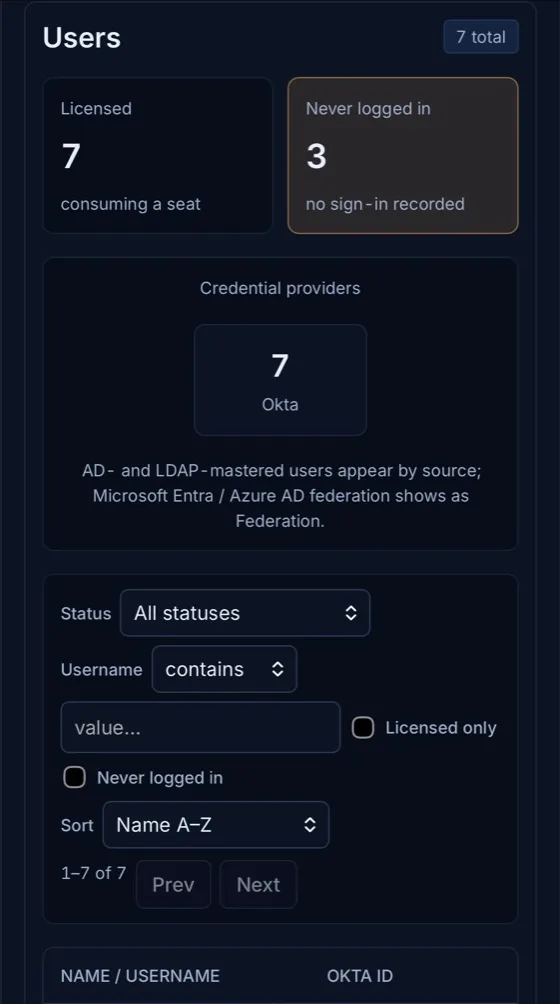
Licensing signals

When scope includes licensing review, usage signals become evidence for renewal planning.

  • Licensed users with no sign-in history
  • Usage and assignment signals
  • Finance, procurement, IAM, and leadership review
Atomation users screen showing licensed users and users with no sign-in recorded
Licensed users with no sign-in history can support renewal planning.
Get started

Ask for evidence that survives review.

The finding should include the proof, the reviewer context, and the next practical step.