
Skip to content
Atomation
Platform
OverviewDashboard, finding queue, evidence, and reports.Product modelConnection, snapshot, finding, and report output.Evidence & reportsSource trails, screenshots, exports, and report views.
Trust & coverage
What we checkRepresentative checks plus assessment trust model.Feature postureWhich Okta features are on, off, and worth enabling.Security modelRead-only scans, exact connector grants, no remediation.DeploymentHosted Atomation workspace model, partner portals, and assessment boundaries.
See it liveOkta Assessment demoWalk a real finding queue, evidence drawers, and reports — no signup, open demo.Explore the live demo
SolutionsDocsPartnersPricingLive demoDemoContact usContact
Product
Product overview
PlatformOverviewProduct modelEvidence & reports
Trust & coverageWhat we checkFeature postureSecurity modelDeployment
SolutionsDocsPartnersPricingLive demoContact usCall 727-999-1813
Okta Assessment / Evidence examples

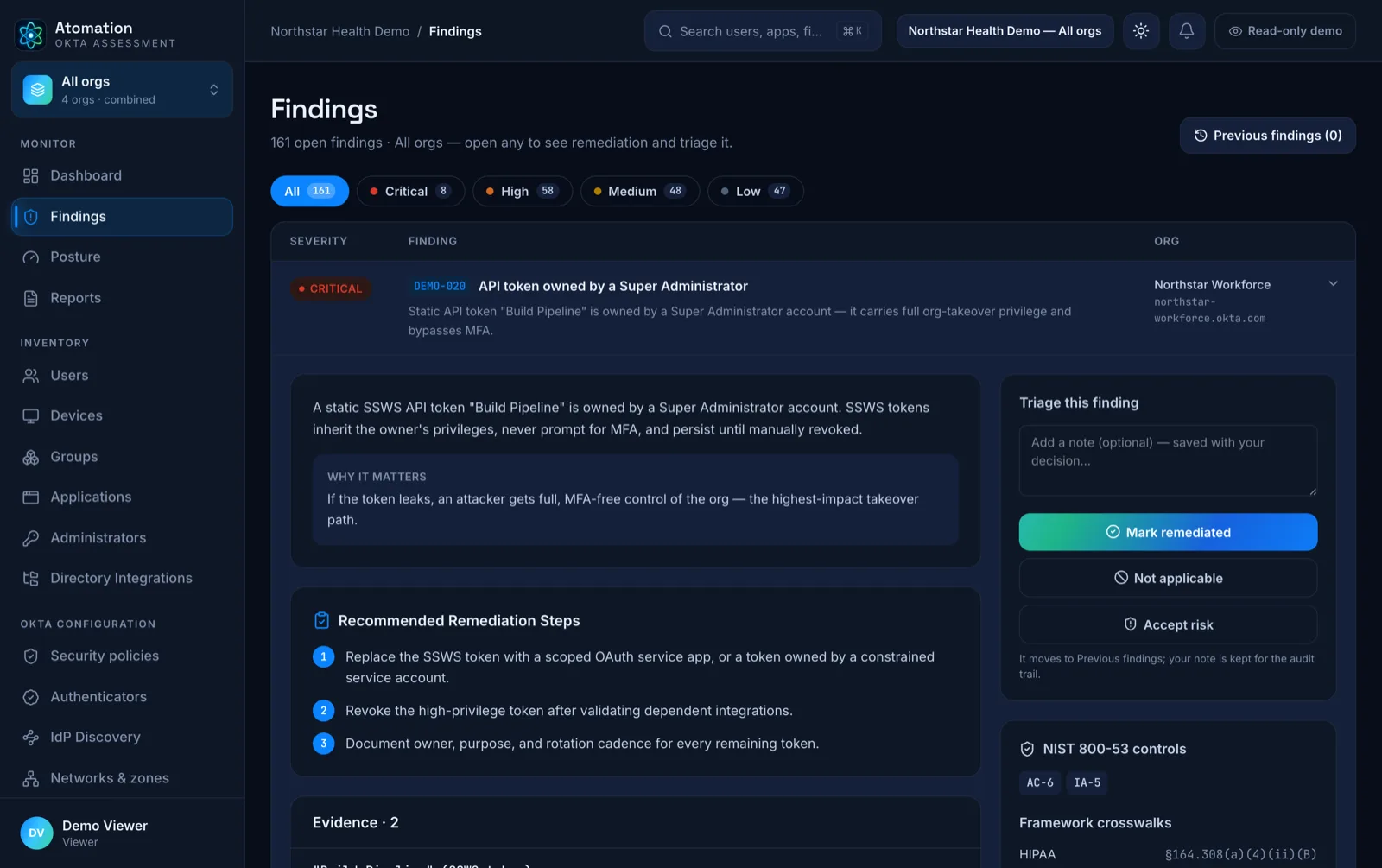
Findings should carry the proof behind the risk.

Public examples are sanitized and representative. The useful shape is the same: finding, affected scope, evidence trail, and review path.
Open evidence modelRead report guide
Atomation finding detail — remediation steps, triage, NIST controls, and framework crosswalks
Finding context

Examples are organized by evidence job.

Cascading group-rule dependencies

Group automation can hide assignment paths when one rule feeds another or duplicates conditions.

Prioritized finding cards

Severity, affected objects, current state, and next step stay together for review.

Control mapping

Framework context can travel with the same finding when the engagement requires it.

Product proof

Screenshots support the finding trail.

Use screenshots where they prove dashboard state or evidence context.

Org posture

Dashboard evidence

Captured Okta evidence becomes a dashboard teams can review before they open individual findings.

  • Severity counts point to the review queue.
  • Org totals show the assessment scope.
  • Each summary should trace back to captured evidence.
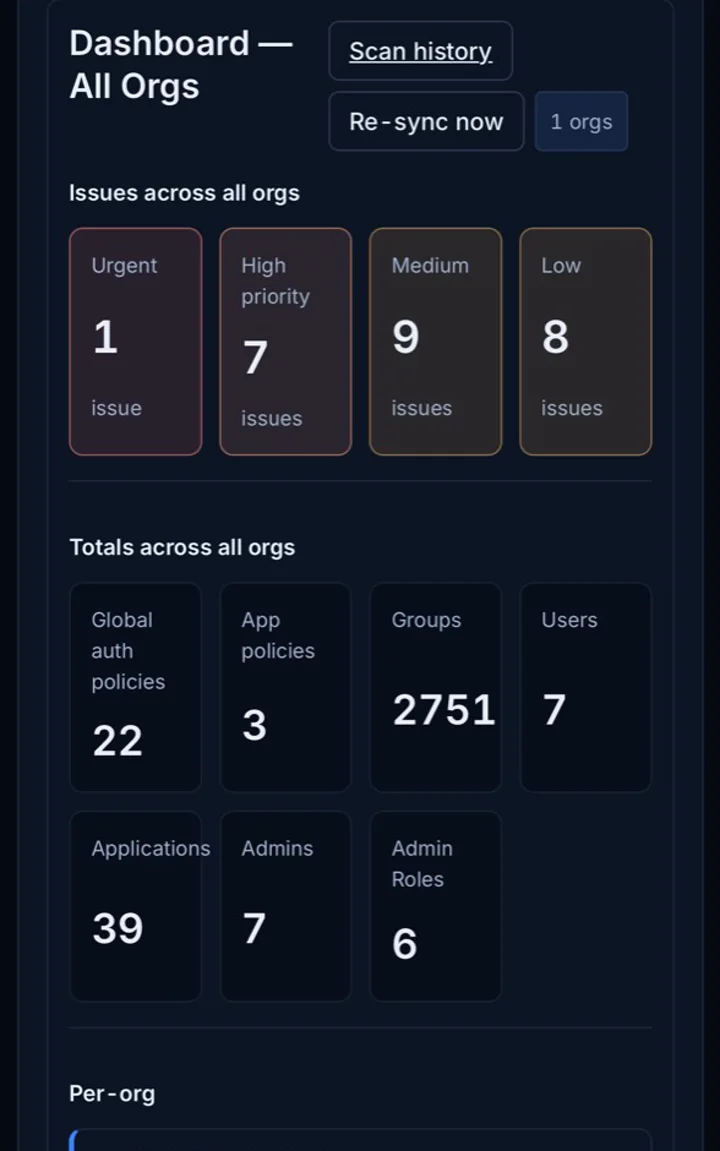
Anonymized Atomation Okta assessment dashboard preview
Dashboard views summarize assessment state without exposing customer identity data.
Evidence path

Group-rule dependencies

Visual evidence helps IAM teams review relationships that are easy to miss in exports.

  • Cascading rules
  • Duplicate conditions
  • Assignment paths that need owner review
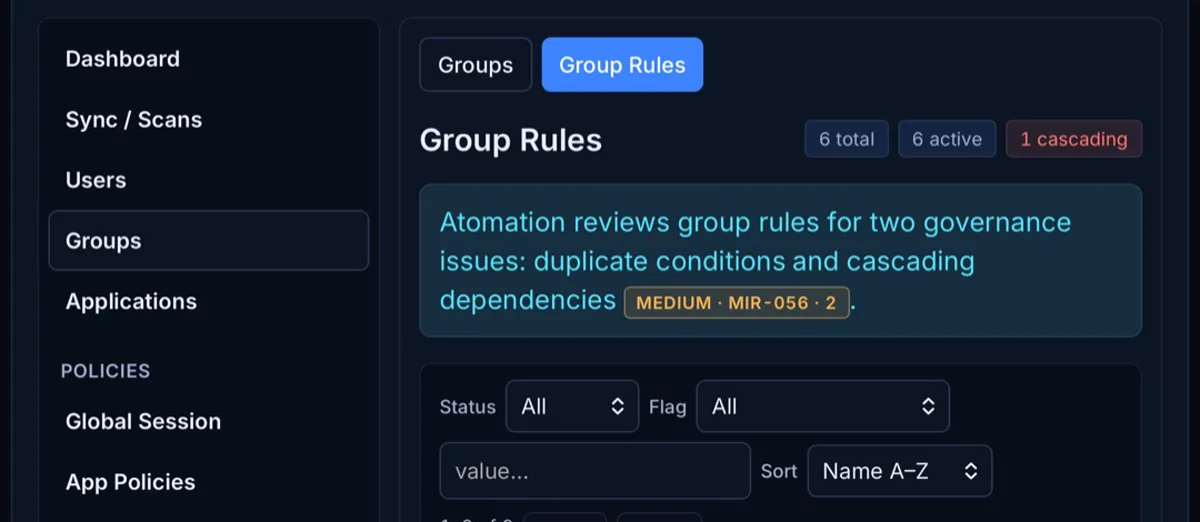
Atomation group rules screen showing cascading dependency evidence
Cascading group-rule dependencies can become finding evidence.
Renewal context

Licensing signals

When scope includes licensing review, usage signals become evidence for renewal planning.

  • Licensed users with no sign-in history
  • Usage and assignment signals
  • Finance, procurement, IAM, and leadership review
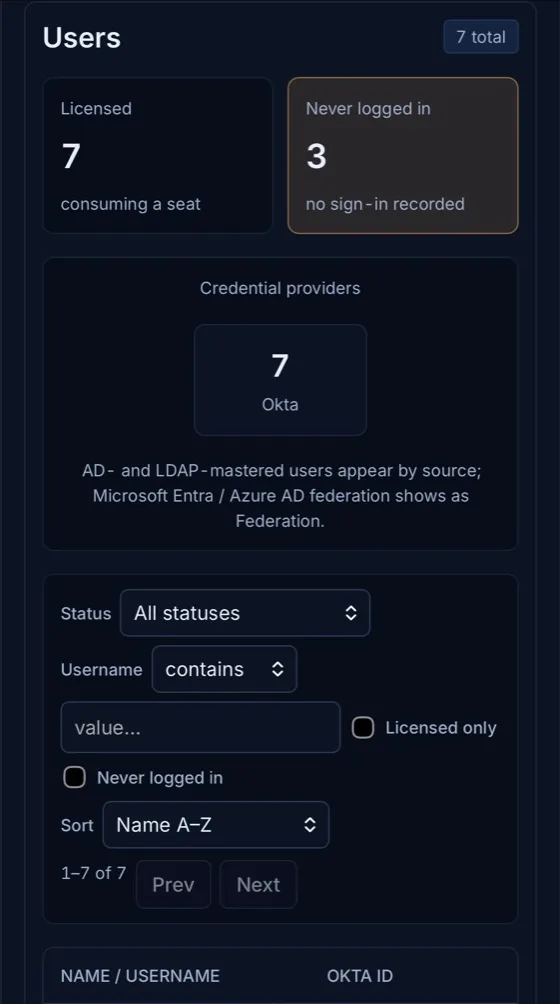
Atomation users screen showing licensed users and users with no sign-in recorded
Licensed users with no sign-in history can support renewal planning.
Report handoff

The same evidence supports leadership, operators, and auditors.

The customer-facing report stays concise. The detailed operator view can carry full finding context, screenshots, affected objects, control mappings, and analyst notes.
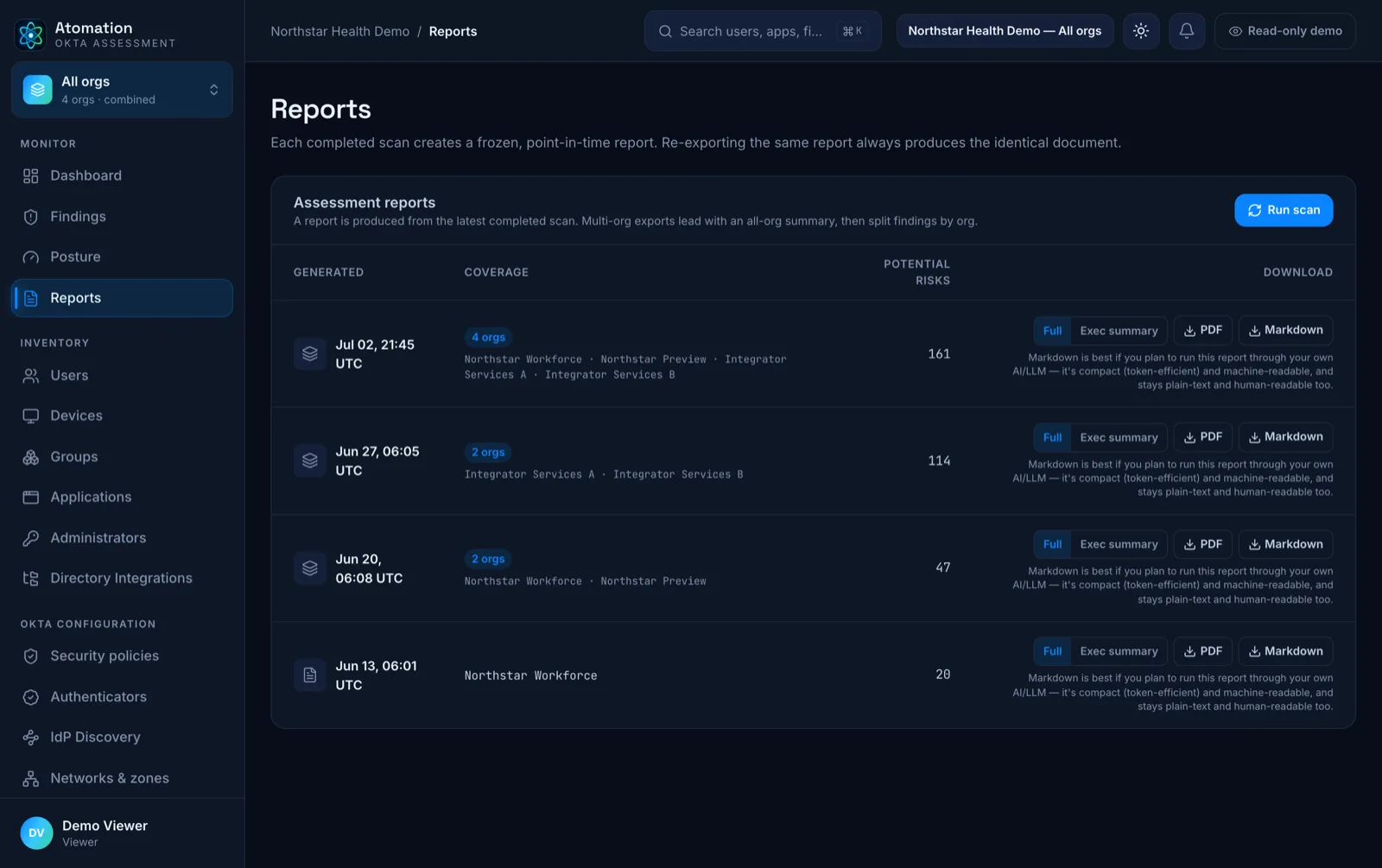
Atomation reports — auditor-ready assessment report views
Atomation

Okta posture and evidence without changing your tenant. Find access risk and evidence gaps before audit week.

Veteran owned — securing Okta orgsBuilt for Okta Identity Engine
[email protected]727-999-1813
ProductOverviewHow it worksPricingLive demo
ResourcesDocumentationFrameworksSecurity & privacyBlogOkta setupFAQ
CompanySolutionsPartnersAboutContact
LegalPrivacyTermsData retentionSubprocessorsAccessibility
© 2026 Atomation LLC · atomation.io
LinkedInInstagramFacebook